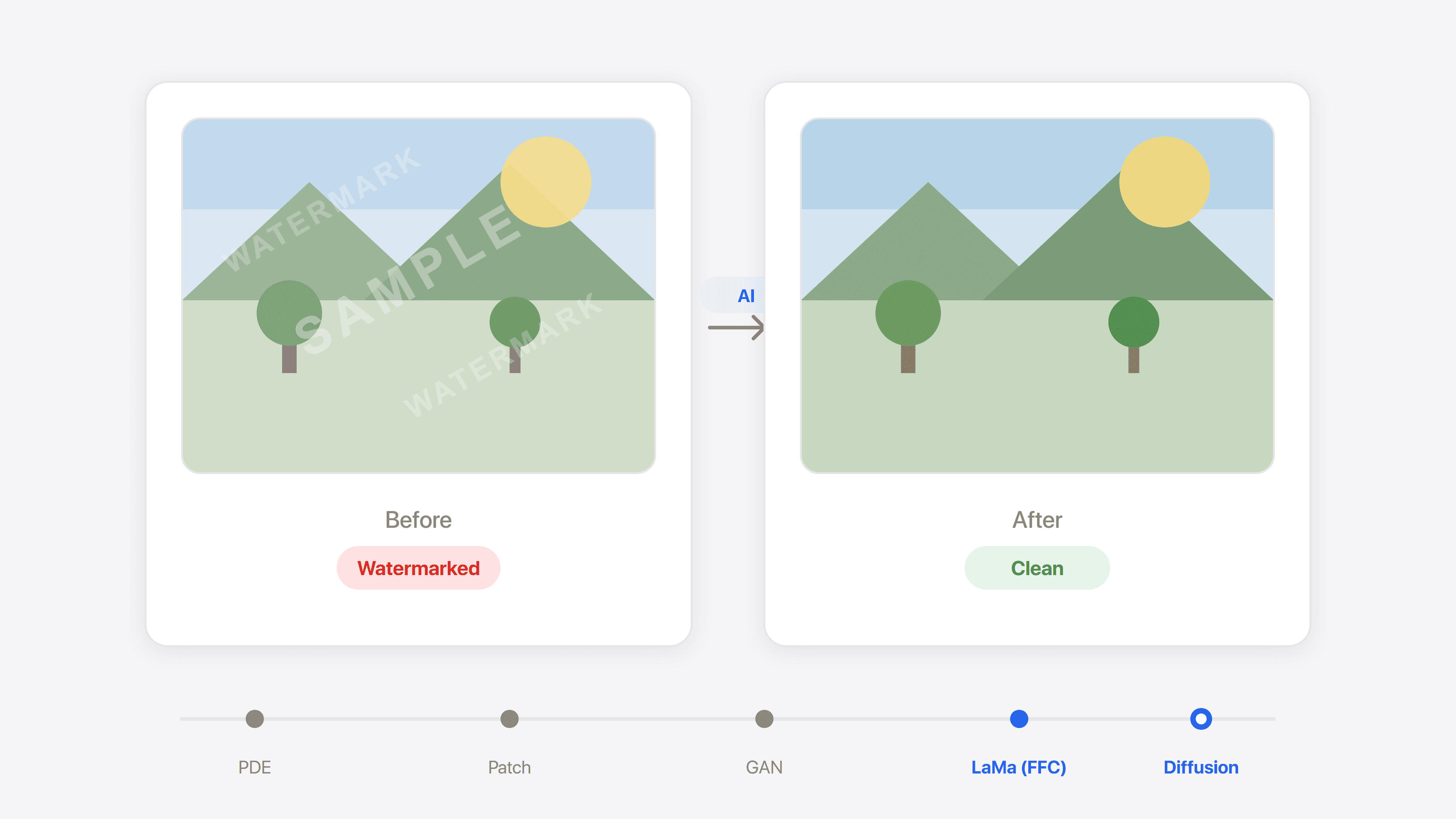
You find a great image for a design, product page, or social post, but there is a semi-transparent logo sitting in the corner. That is why most people search for "remove watermark from image" in the first place.
At first, it sounds simple. Just erase that region. In practice, the difference between merely erasing and actually repairing the image is huge. Some tools smear the area into a blurry patch. Others can rebuild clean background textures, letter strokes, and even lighting gradients.
That gap comes from the underlying technical approach. Once you understand those differences, it becomes much easier to choose the right tool for the image in front of you.
The two basic kinds of image watermarks
Before talking about removal methods, it helps to identify what kind of watermark you are dealing with.
Visible watermarks
This is the most common case: a semi-transparent logo, text, or graphic laid over the image. Technically, it is usually composited through alpha blending:
final pixel = alpha x watermark color + (1 - alpha) x original color
The higher the opacity, the more original image information is suppressed, and the harder restoration becomes.
A fast way to judge difficulty
Zoom into the watermark area. If you can still see background textures and colors through it, opacity is relatively low and many tools will do well. If the region looks almost solid white or solid color, information loss is much more severe.
Invisible watermarks
These are embedded in the frequency domain or low-level pixel signals and are not visible to the eye at all. Examples include Google's SynthID and TreeRing-style markers used in some AI image systems.
Their purpose is not to block usage directly, but to support attribution or provenance checks later. This article focuses on visible watermark removal, with a short note on invisible watermark attacks and defenses near the end.
How watermark removal techniques evolved
Watermark removal is a form of image inpainting: restoring a region that is known to be damaged or obstructed. Over the last two decades, the field has gone through several major technical jumps.
Generation 1: pixel diffusion
The earliest methods spread neighboring colors into the damaged region with PDE-style formulations. They can produce smooth transitions and work for tiny text watermarks, but they cannot synthesize real texture. Large repairs become blurry very quickly.
Generation 2: texture synthesis
Exemplar-based methods search other parts of the image for similar patches and copy them into the masked region. This works well for repetitive backgrounds such as sky or walls, but it has no real semantic understanding. Faces, architecture, and strong perspective lines often break.
Generation 3: GAN-based reconstruction
Deep learning changed the game. CNNs could learn high-level visual features, and GANs pushed models to generate outputs that looked more realistic, not just locally smooth. Meta's Context Encoders are a classic milestone in this stage.
Breakthrough: models could finally generate plausible content under large masks.
Limitation: convolution-based receptive fields were still local. Once masks became very large or crossed multiple texture regions, detail quality still collapsed.
Generation 4: LaMa and Fourier convolutions
LaMa, introduced by Samsung AI Center, solved a fundamental limitation by using fast Fourier convolutions (FFC):
- Traditional convolutions only look at local neighborhoods
- Fourier convolutions let the network reason about the entire image very early
That matters because the model can use long-range texture and structural cues while restoring the masked region. For city scenes, indoor environments, and repeating patterns, LaMa was a major step up from earlier GAN approaches.
| Feature | Traditional CNN / GAN | LaMa (FFC) |
|---|---|---|
| Receptive field | Local neighborhood | Whole image |
| Repeating textures | Often breaks | Strong |
| High-resolution support | More artifacts | Scales better |
| Inference | Often multi-stage | Lightweight single-stage |
Generation 5: diffusion models
Diffusion models brought a different philosophy. Instead of only filling the damaged pixels, they partially destroy the watermark signal with controlled noise and then generate a new clean version conditioned on the original scene. The composition and semantics stay similar, but the repaired pixels are newly synthesized.
Stable Diffusion inpainting is a common example. You can even guide the repaired content with prompts such as "a clean white wall".
The tradeoff of diffusion repair
Diffusion-based repair can look excellent, but it reconstructs rather than strictly restores. For marketing visuals and social content, that is usually fine. For evidence-oriented images, you should be much more careful.
How to choose the right class of tools
Most image watermark removal products fall into four broad categories.
Professional editors: Adobe Photoshop
Photoshop effectively gives you two tracks:
- Content-Aware Fill: a classic neighborhood-based fill method. Fast and local, but less reliable on complex scenes.
- Generative Fill: diffusion-based repair powered by Firefly. Better at reconstructing lighting, structure, and perspective.
Best for: professional designers who need fine-grained manual control.
Cost: paid subscription and a steeper workflow.
Automated SaaS platforms
WatermarkRemover.io automatically detects and removes many common logo and text overlays at high resolution.
HitPaw offers multiple AI modes and is stronger than many competitors on video as well as image workflows.
PicWish performs well for ecommerce-style batch editing pipelines.
Lightweight online editors
Tools such as Canva Magic Eraser, Fotor, and AI Ease make watermark removal one feature inside a broader editing suite. They are easy to use, but less reliable on tricky edges and high-detail texture restoration.
Open-source local tools: IOPaint
IOPaint, formerly LaMa Cleaner, is one of the strongest open-source options.
Its main advantages:
- Model choice: LaMa, ZITS, MAT, Stable Diffusion, and more
- Prompt-guided repair when diffusion backends are enabled
- Fully local processing for privacy-sensitive material
- No software license cost, if you already have suitable hardware
Best for: technical users who care about privacy and want local control.
Main limitation: strong results often depend on having a capable GPU.
| Tool | Core approach | Best-fit scenario | Main limitation |
|---|---|---|---|
| Photoshop (Generative Fill) | Diffusion | Professional creative work, complex background reconstruction | Paid, higher learning curve |
| WatermarkRemover.io | Deep CNN pipeline | Automated batch removal | Fewer manual controls |
| HitPaw | Multi-mode AI | Mixed image and video workflows | More expensive |
| IOPaint | LaMa / Stable Diffusion | Local processing, privacy-first workflows | Hardware demands |
| PicWish | Automated AI workflow | Ecommerce batch editing | Fine-detail repair is weaker |
Two common failure modes in AI watermark removal
Even strong AI tools still fail in predictable ways.
Over-smoothing
When the model is uncertain, it often outputs a statistical average. The area looks clean at first glance, but fine texture disappears. Skin pores, paper grain, fabric structure, and subtle noise all get washed away.
Common triggers: early MSE-heavy models, very large masks, or highly complex texture beneath the watermark.
Hallucinated detail
Diffusion models solve the blur problem better, but they introduce another risk: the repaired region may contain details that never existed in the source image.
For design assets, this is often acceptable. For journalism, research, or legal evidence, it can become a serious integrity problem.
Always inspect the repaired area closely
No matter which tool you use, zoom into the repaired region afterward. This is especially important for faces, text, and charts, where invented details are easy to miss at first glance.
A short note on invisible watermark attacks and defenses
Invisible watermarks such as SynthID or TreeRing are an active research area. The NeurIPS 2024 "Erasing the Invisible" challenge highlighted several important points:
- Small geometric perturbations can be extremely effective. Even slight spatial shifts may break detector alignment.
- Diffusion models often weaken invisible watermarks naturally because the denoising process treats them as unwanted signal.
- Metadata-based provenance systems are gaining importance. Standards such as Content Credentials record the creation and editing chain outside the pixel layer itself.
That suggests future content provenance may rely less on fragile pixel-level markers and more on metadata-backed verification chains.
Practical recommendations by scenario
Ecommerce product images
Recommended path: batch-friendly tools such as WatermarkRemover.io or PicWish. If you want a simpler all-in-one option, you can also use Pilio image watermark remover.
Design asset cleanup
Recommended path: start with an automatic remover for coarse cleanup, then use Photoshop Generative Fill for the final polish on sensitive regions.
Quick social media cleanup
Recommended path: use a lightweight online tool. This is usually not the place to spend a lot of manual editing time. Pilio's image watermark remover is also a fast option.
Privacy-sensitive work
Recommended path: local tools such as IOPaint when files must stay on your device. For Gemini images or videos that need hosted cleanup, use Gemini watermark remover and review the result before using it publicly.
Using Pilio for image watermark removal
Pilio offers two image-focused watermark removal tools for different cases:
Image Watermark Remover uses a server-side AI pipeline. It supports HEIC, JPG, PNG, and WEBP input. You can choose automatic watermark detection or draw the region manually, then download a clean PNG result after processing. This is the better fit for general image watermark scenarios.
Gemini Watermark Remover uses a hosted processing pipeline for Gemini image and video watermarks. It is the better fit when you want a managed workflow for Gemini outputs, complex images, or clips that need more than a simple local reverse-blending pass. If you want the technical background behind Gemini's visible watermark, see our Gemini watermark article.
If your file is a PDF rather than an image, use PDF Watermark Remover instead. That workflow is very different, and we explain it in our PDF watermark guide.
Image Watermark Remover
AI-assisted removal for many common image watermark types, with auto-detect and manual region selection.
Gemini Watermark Remover
Hosted cleanup for Gemini image and video watermarks.
PDF Watermark Remover
Structured deletion plus AI repair for PDF documents.
Usage boundaries and legal note
Watermark removal tools are meant to help you recover clean versions of material you are authorized to use, such as your own exported assets, expired marks on internal documents, or properly licensed images whose clean originals are unavailable.
A watermark often signals ownership or distribution rules. Before removing one, confirm that you have the right to use the material. Removing watermarks from someone else's work without permission may violate local law or platform terms.