Menu

Real Results

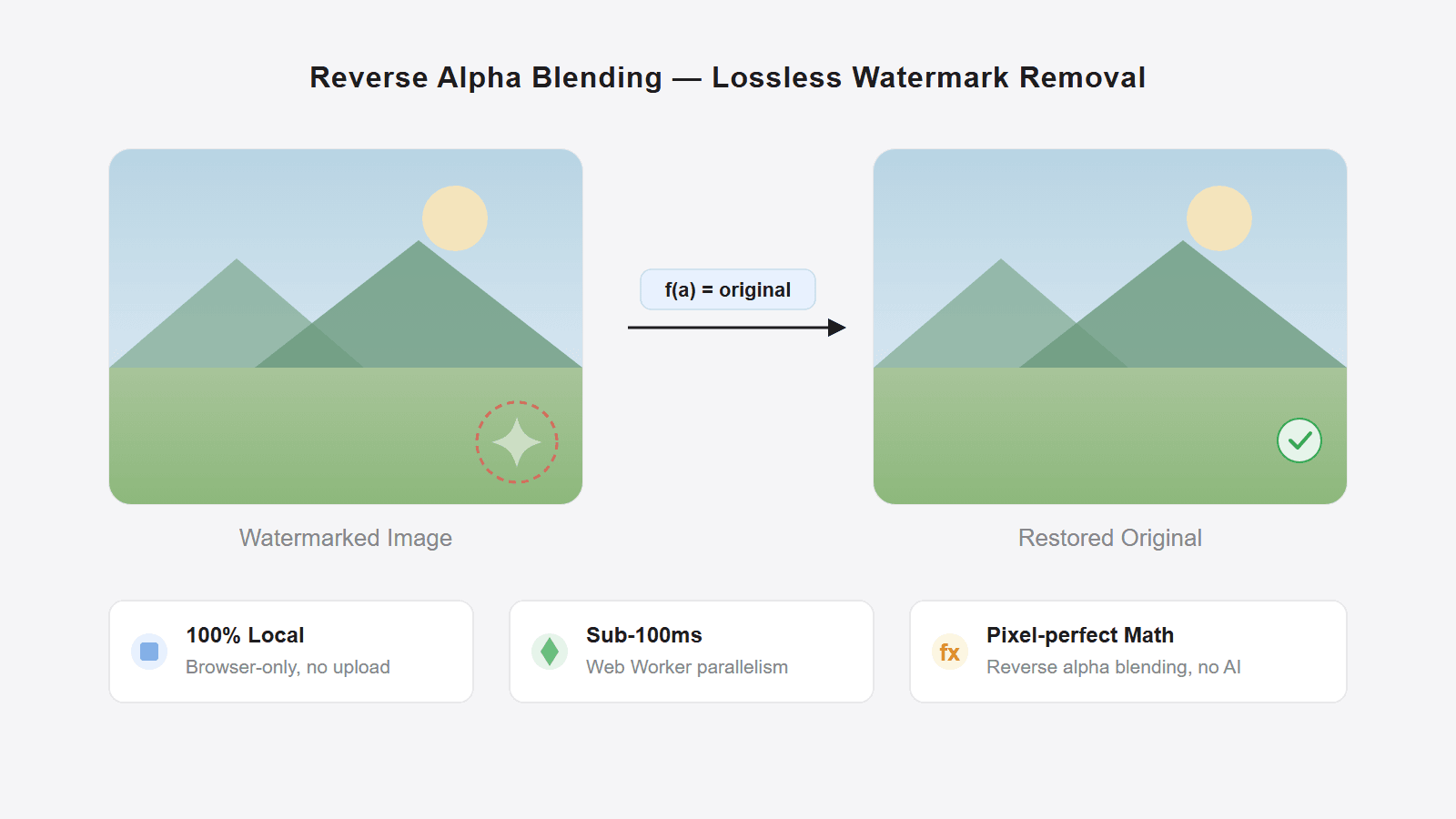
Left: a Gemini image with a visible watermark. Right: processed result after local visible-watermark cleanup. Review the result before reuse.

Gemini watermark removal demo - Before
Before
Gemini watermark removal demo - After
After

Free Gemini Watermark Remover Online | Remove Gemini logo and star watermark

Free online Gemini watermark remover: no upload, no signup, batch-friendly, fully in your browser. Remove the visible Gemini logo or star watermark from Google Gemini images. Removes the visible watermark only; it does not claim to remove invisible SynthID metadata
  • Free online Gemini watermark remover: no upload, no signup, batch-friendly, fully in your browser. Remove the visible Gemini logo or star watermark from Google Gemini images
  • Free online · No upload · No signup · Gemini star/logo
  • Remove Gemini logo and star watermark
  • Visible Gemini watermark only, not invisible SynthID metadata

Why Choose Pilio for Gemini Watermark Removal?

Pure Local Processing

All computation happens in your browser, so your Gemini images stay on your device. There is no upload step, which makes this a strong fit for privacy-sensitive cleanup

Open Source & Community Driven

This tool is fully open source on GitHub. You can inspect every line of code to verify there's no hidden behavior. Found a bug or have a suggestion? Submit an Issue directly

Precision restoration for standard Gemini exports

Estimates the visible watermark area with high visual precision in standard Gemini export cases, while aiming to minimize impact on surrounding regions.

Batch Processing

Add multiple PNG or JPG images at once — all automatically detected and processed. Whether 1 or 100, the workflow stays the same — efficient and hassle-free

Free browser-based cleanup

Browser-based cleanup for visible Gemini watermarks, with no upload step and the same exported resolution

Works on Every Device

Pure browser-based tool, no software installation needed. Windows, Mac, Linux, iOS, Android — any modern browser will do

Remove Gemini Watermarks Online in 3 Steps

01

Add Your Images

Click 'Choose Files' or drag Gemini-generated PNG/JPG images into the workspace. Supports adding multiple images at once for batch processing

02

Local Auto Processing

Your browser detects the Gemini watermark pattern and performs local visible-watermark cleanup, with no server round trip

03

One-Click Download

Download a cleaned version at the same exported resolution, then review details before reuse.

Gemini Watermark Removal — FAQ

Are my images really not sent to any server?
All processing happens in your browser's Web Workers, so image data stays on your device. You can verify this by using the tool while offline
What image formats are supported?
PNG, JPG/JPEG, and WEBP formats are supported. Google Gemini typically exports images in PNG, but the browser workflow also accepts common web image formats used by saved Gemini outputs
How good is the removal? Will it degrade image quality?
Estimates the visible watermark area with high visual precision in standard Gemini export cases, while aiming to minimize impact on surrounding regions.
How fast is it?
The tool uses Web Worker multi-threading, so single images usually finish almost instantly on modern hardware. Batch processing dozens of Gemini images normally takes just a few seconds
Can this remove watermarks from non-Gemini images?
This tool is specifically designed for the semi-transparent star watermark generated by Google Gemini. It is not suitable for watermarks from other AI models or manually added watermarks
Is this a free online Gemini watermark remover with no signup?
Yes. This is the official online version of the open-source Gemini watermark remover workflow on Pilio. You can use it for free with no signup required
Can I remove Gemini watermark in bulk?
Yes. This batch Gemini watermark remover lets you add multiple Google Gemini images at once, then cleans them in one local run in your browser
Is registration or payment required?
No. Open the page and start using it right away. There is no signup step and no payment required to use the online Gemini watermark remover
Should I use the official online tool or the GitHub repo?
Most users should use this official online tool because it is the simplest and most stable way to remove a Gemini watermark in the browser. The GitHub repo is where the open-source core algorithm and development history live for developers who want to inspect the code, reuse it, or contribute improvements