Menu

Real Results

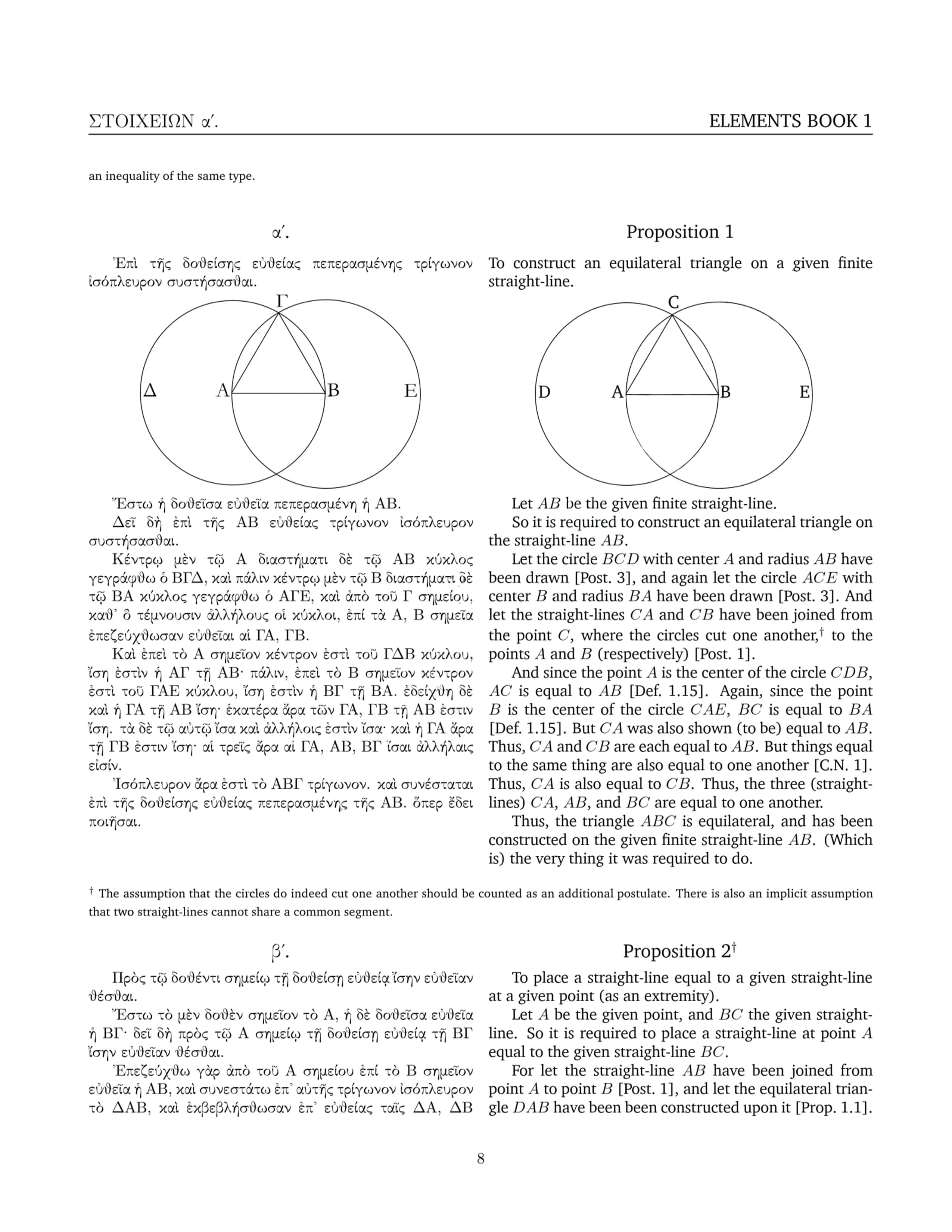
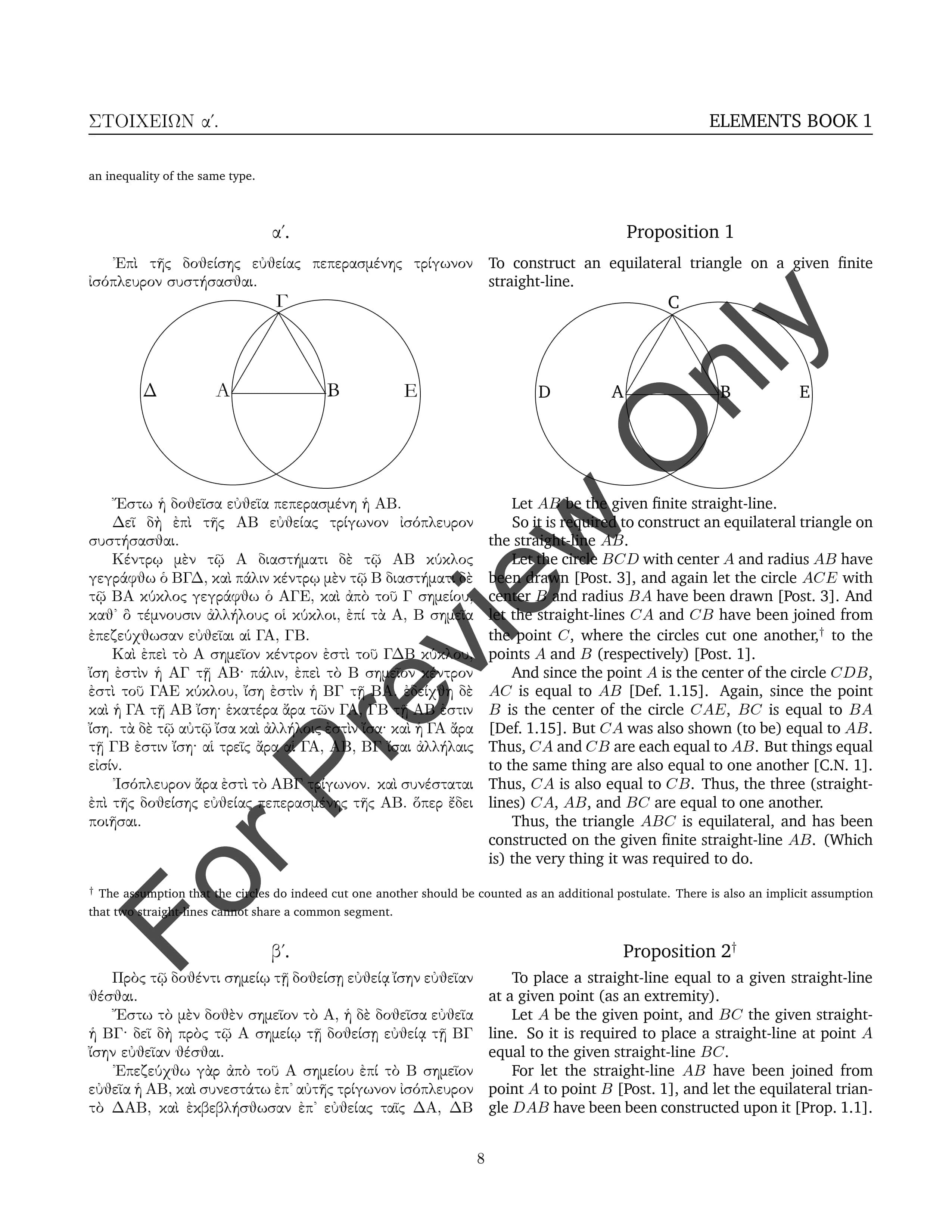
Left: original Gemini output with watermark. Right: processed result — watermark area restored at pixel level, clean and seamless

PDF watermark removal document comparison - Before
Before
PDF watermark removal document comparison - After
After

Remove PDF Watermark Online Free | Structured Removal, Editable PDF Output

Remove text and image watermarks directly at the PDF structure level whenever possible, so the cleaned PDF stays editable, searchable, and copyable. For scanned PDFs, stubborn overlays, or complex watermark cases, switch to AI deep removal for page-by-page analysis and reconstruction.
  • Structured PDF watermark removal: remove text and image watermarks while keeping the PDF editable, searchable, and copyable
  • Scanned PDFs and stubborn watermarks supported: AI deep removal handles complex cases that structural mode cannot cleanly remove
  • Smart mode recommendation: automatically detect whether structural removal or AI deep removal is the better path
  • Before and after preview: compare the result before downloading

Two modes for the PDF watermark cases that matter

Structured removal, editable PDF preserved

For standard text-selectable PDFs, remove watermarks directly from the document structure. Text, tables, layout, and searchability stay intact, so the output PDF remains practical for editing and reuse.

AI deep removal for scans and stubborn watermarks

For scanned PDFs, complex backgrounds, or watermark layers that are fused into the page, AI deep mode analyzes and rebuilds each page. The tool can detect when AI is the better fit and recommend that route.

Preserve the original document structure first

Structural mode focuses on removing the watermark layer while preserving original text, tables, images, and layout, so you do not unnecessarily turn an editable PDF into a flattened static file.

Before & After Comparison

After processing, compare the original and watermark-free result side by side. Toggle between views to verify removal quality before downloading — what you see is what you get.

Privacy protection with auto-deletion

Your files are encrypted in transit and permanently deleted after processing, so sensitive documents do not stay around longer than necessary.

No Downloads, Any Device

Runs entirely in your browser. Windows, Mac, Linux, phone, or tablet — no software installation needed.

Remove PDF Watermarks in Just 3 Steps

01

Upload Your Watermarked PDF

Click "Choose Files" or drag and drop your PDF into the secure workspace.

02

Smart Detection & Removal

The system automatically scans all pages and removes watermarks. For scanned PDFs, switch to AI deep mode for enhanced removal.

03

Compare & Download

Compare the before and after results, then download your clean, watermark-free PDF for free.

PDF Watermark Removal FAQ

What's the difference between the two removal modes?
"Editable PDF" mode locates and removes watermarks at the PDF structure level — the output PDF remains editable with selectable text. "AI Deep Removal" mode performs page-by-page AI analysis and reconstruction — ideal for scanned documents or watermarks that structural mode can't handle. Output is an image-based PDF.
How do I choose the right mode?
The system auto-detects your PDF type. If it detects a scanned document, it proactively suggests switching to AI deep mode. Generally, use "Editable PDF" for text-selectable PDFs; use "AI Deep Removal" for scanned docs or complex watermarks.
Can it remove all types of watermarks?
It handles the vast majority of watermarks, including text watermarks like 'Draft' and 'Confidential', as well as image watermarks like logos. Watermarks that structural mode can't handle can be further processed by switching to AI deep mode.
Will removing watermarks damage the document?
No. "Editable PDF" mode only targets the watermark layer — original text, images, and formatting are 100% preserved. "AI Deep Removal" mode reconstructs each page, outputting as a high-quality image PDF.
Is there a page limit for AI deep removal?
AI deep removal mode currently supports up to 25 pages. For longer documents, please use the "Editable PDF" mode.
Are there any file size limits?
You can process PDFs up to 100 MB, entirely free.
Is it legal to remove watermarks?
Only remove watermarks from documents you own or have authorization to modify. Removing watermarks from copyrighted materials without permission may violate applicable laws.
Is watermark removal safe?
Your files are protected with encrypted transfer and are permanently deleted after processing. Privacy protection and automatic cleanup are built into the workflow.